How to Detect Unauthorised AI Tools in Your Organisation
Shadow AI is the new shadow IT — and it's growing fast. Here's how IT admins can get full visibility and stay in control.
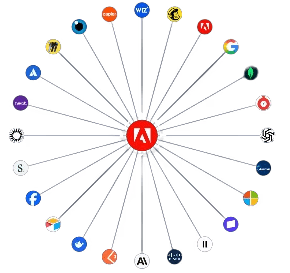
Artificial Intelligence is no longer a boardroom topic. It's already in your employees' browsers, quietly embedded in the tools they use every day — often without IT knowing about it.
The question for IT and security teams is no longer whether AI tools are being used. It's which ones, by whom, and whether any of them are a risk you haven't accounted for.
This is the new shadow IT. And unlike the shadow IT of ten years ago, it moves faster, touches more data, and is harder to spot.
Here's how to find it.
1. Use Microsoft Intune's Discovered Apps
If your organisation manages devices through Microsoft Intune, you already have one of the best detection tools available — and it's built in.
The Discovered Apps feature inventories every application found on managed devices across your fleet, including AI tools that were installed without going through official procurement. To access it, navigate to Intune admin center → Apps → Monitor → Discovered apps. From there you can filter by platform, export the full list, and spot anything that shouldn't be there.
What makes this particularly useful is that it gives you a device-level view, not just network traffic. If an employee installed a local AI client, Intune will surface it.
What to look for: any AI-branded application — Copilot, Gemini, Claude, Perplexity, Cursor, GitHub Copilot — appearing on devices that haven't been formally approved or added to your software catalogue.
📖 Full documentation: Microsoft Intune – Discovered Apps
2. DNS and Web Proxy Filtering Logs
Your DNS resolver or web proxy logs every domain your devices attempt to reach. AI tools leave a very clear trail.
By querying your logs for known AI service domains — api.openai.com, claude.ai, gemini.google.com, perplexity.ai, huggingface.co, and dozens more — you can identify which users or devices are actively communicating with external AI services, even when no local app is installed and everything is happening through a browser.
This is often the most comprehensive detection method because it catches what endpoint tools miss.
Tip: Build a regularly updated blocklist/allowlist with three categories — approved AI, under review, and blocked. Tools like Cisco Umbrella already categorise many AI platforms automatically, which saves significant time.
3. Cloud Access Security Broker (CASB)
A CASB solution — Microsoft Defender for Cloud Apps, Netskope, or McAfee MVISION — sits between your users and cloud services and gives you a much deeper picture than DNS logs alone.
CASBs can identify which AI platforms are in use and by how many people, assess the risk profile of each app (data residency, encryption standards, compliance certifications), detect data being uploaded to AI tools, and enforce real-time policy controls: block, warn, or require justification before proceeding.
Microsoft Defender for Cloud Apps integrates natively with Intune and Entra ID, giving you a single view across identity, device, and application layers — which is where the real picture starts to emerge.
4. Browser Extension Auditing
Not all AI tools arrive as applications. Many come in through the side door as browser extensions — Grammarly with AI, Copilot for Edge, Merlin, Monica, and a growing list of others. These are consistently the most overlooked vector in traditional app inventories.
With Google Chrome Browser Cloud Management or Microsoft Edge management policies (both deployable via Group Policy or Intune), administrators can enumerate all installed extensions across managed browsers, block unapproved extensions by policy, and receive alerts when new ones appear.
This is especially important in BYOD environments where employees are using managed browsers on personal devices.
5. Microsoft Entra ID Sign-In Logs (OAuth App Consent)
When an employee signs into a third-party AI tool using their Microsoft or Google work account, an OAuth consent grant is created. Every one of these is logged and auditable.
In Microsoft Entra ID, navigate to Enterprise Applications → All Applications and filter for recently added apps. You will see every external service that has been granted access to your tenant — including AI tools that asked for permission to read email, files, or calendar data.
This is a critical control point that most organisations are not watching closely enough. An AI tool with read access to your Microsoft 365 tenant is not just a productivity question — it is a data governance exposure.
Action: Disable user consent for third-party apps and require admin approval. This single change prevents AI tools from silently accessing organisational data.
6. Network Traffic Analysis and SIEM
For more mature environments, feeding network flow data or proxy logs into a SIEM — Microsoft Sentinel, Splunk, IBM QRadar — lets you build detection rules and dashboards specifically targeting AI tool usage.
Useful alerts to build: first-time connections to known AI API endpoints, unusually large data transfers to AI platforms, usage outside business hours, and access from unmanaged or non-compliant devices. Pairing this with user behaviour analytics helps distinguish legitimate AI usage from something worth investigating.
Bringing It All Together
No single method gives you the full picture. The most effective approach layers all of these:
Layer | What it catches |
|---|---|
Intune Discovered Apps | Locally installed AI software on managed devices |
DNS / Web Proxy Logs | Browser-based AI tool usage on the network |
CASB | Cloud app risk scoring and data upload monitoring |
Browser Management | AI browser extensions |
Entra ID OAuth Logs | AI tools connected via work identity |
SIEM / Network Analysis | Anomalous or high-volume AI traffic |
The Goal Isn't to Block Everything
Detection is not the end goal — informed governance is.
Once you know what AI tools are actually in use, you can make deliberate decisions: approve, restrict, replace, or formally onboard them with proper security assessments. Employees are reaching for these tools because they genuinely make work easier. The role of IT is not to be the department that says no — it's to make sure the organisation benefits from AI without taking on risks it hasn't thought through.
Start with visibility. Everything else follows.